ArtCraft is not an Adobe product. ArtCraft is an open-source creative suite from storytold — not an Adobe product. Open Creative Apps is an independent guide; downloads only via getartcraft.com or official GitHub. Not affiliated with Adobe Inc. or the ArtCraft team.
ArtCraft & Crafting Apps: The Open-Source Adobe Alternative Guide
ArtCraft is a free, open-source Adobe alternative — an AI image and video studio plus Crafting Apps — not an Adobe product. Use this page to compare options and reach official downloads only. It runs on Windows, macOS and the web, built by the ArtCraft team and released under MIT or Apache-2.0 (license). Instead of relying on prompts alone, you compose a shot on 2D and 3D canvases and then choose one of dozens of AI models to render it (README). The same team builds 13 open-source "Crafting Apps" in Rust, including PhotoCraft, an early-alpha Photoshop-style editor (apps).
ArtCraft vs Adobe comparisonDownload ArtCraft safely (official)
Last updated: · Every fact links to its source: the official site, the GitHub repositories, or adobe.com.
What is ArtCraft?
The developers call ArtCraft "the IDE for artists" and "the IDE for interactive AI image and video creation" (README). In practice it is a desktop app written in Rust and TypeScript and packaged with Tauri (dev setup), plus a browser version at app.getartcraft.com. The code is public at github.com/storytold/artcraft, and the current release is v0.41.0, published on 26 September 2026 (release notes).
Prefer a dedicated product page? Read the ArtCraft overview: features, pricing and Adobe clarification, or jump to PhotoCraft on GitHub and safe downloads.
The name causes confusion. Searches like "Adobe ArtCraft" and "Adobe Craft" mix it up with Adobe's software, but ArtCraft is an independent project. Its copyright belongs to "ArtCraft Team and the ArtCraft contributors" (README), and the official site is getartcraft.com.
| Developer | ArtCraft Team and contributors (GitHub: storytold) |
|---|---|
| License | MIT or Apache-2.0, your choice (README) |
| Latest version | 0.41.0, 26 Sep 2026 (GitHub release) |
| Platforms | Windows 10 64-bit+, macOS 12.0+, web; Linux by building from source (download page, README) |
| Price | Free app; optional credit plans from $10/month (pricing) |
| Account | Quick start asks you to create a free account or log in (download page) |
What ArtCraft can do
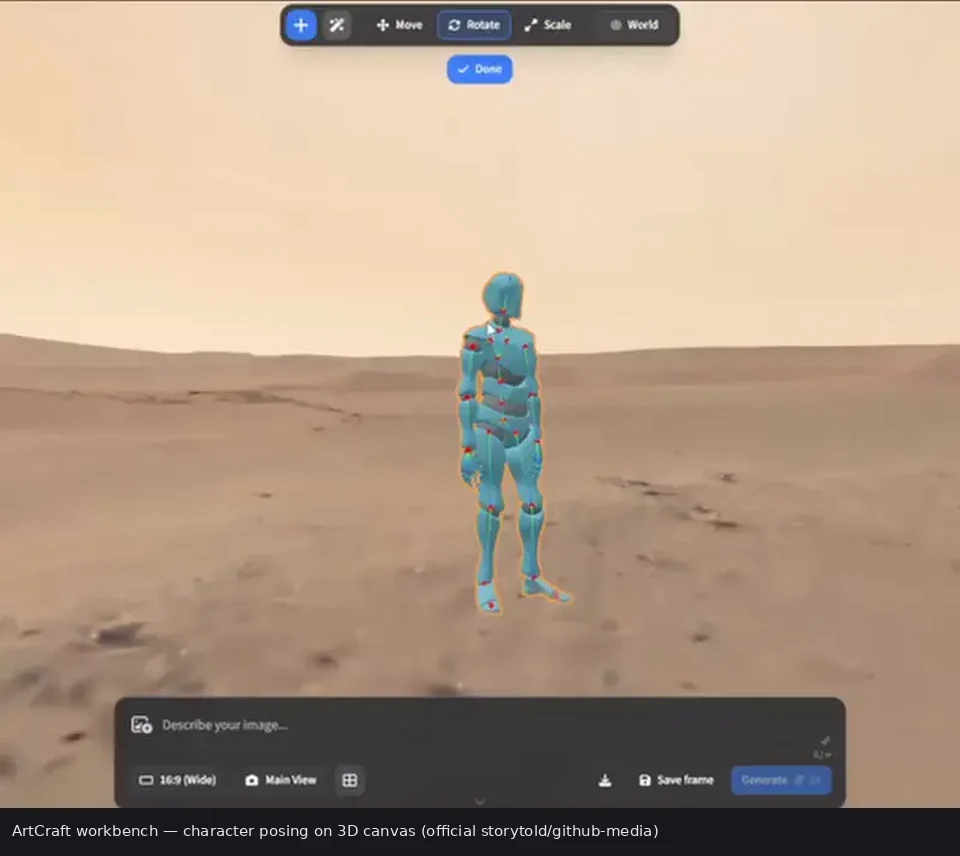
ArtCraft's pitch is control: build the scene first, then generate. The README groups its tools into two sets.
Scene-building ("crafting") tools
- Image to Location: place virtual actors in a consistent environment and plan several shots in the same room.
- 3D and 2D image compositing: layer backdrops, foregrounds and props in 3D for depth, or combine image layers, background removal and drawing tools in 2D.
- Image to 3D Mesh: turn an image into an object you can position, rotate and frame.
- Character Posing and Identity Transfer: pose a character or a mannequin and set the camera before the final render.
- Scene blocking with kitbashing and mixed assets: combine 3D asset kits, image cutouts and generated worlds in one scene.
Prompt tools
- Text to image across many image models.
- Prompted image editing with models such as Nano Banana Pro and GPT Image.
- Canvas editing with drawing, masks and inpainting.
- Image to video with a choice of video models.
Models
The README publishes a 62-model catalog: 16 image models (Nano Banana, GPT Image, FLUX, Seedream), 25 video models (Seedance, Kling, Veo, Sora, Vidu, MiniMax, Flux), 5 music and sound models (Suno, Seed Audio), 11 3D-mesh models (Hunyuan 3D, Tripo3D, Meshy, Rodin) and 5 world/Gaussian-splat models (Marble, TripoSplat). It also integrates Grok, Midjourney, Sora and World Labs as providers. Some entries are marked as currently disabled, so check the model list before counting on one model.
ArtCraft vs Adobe at a glance
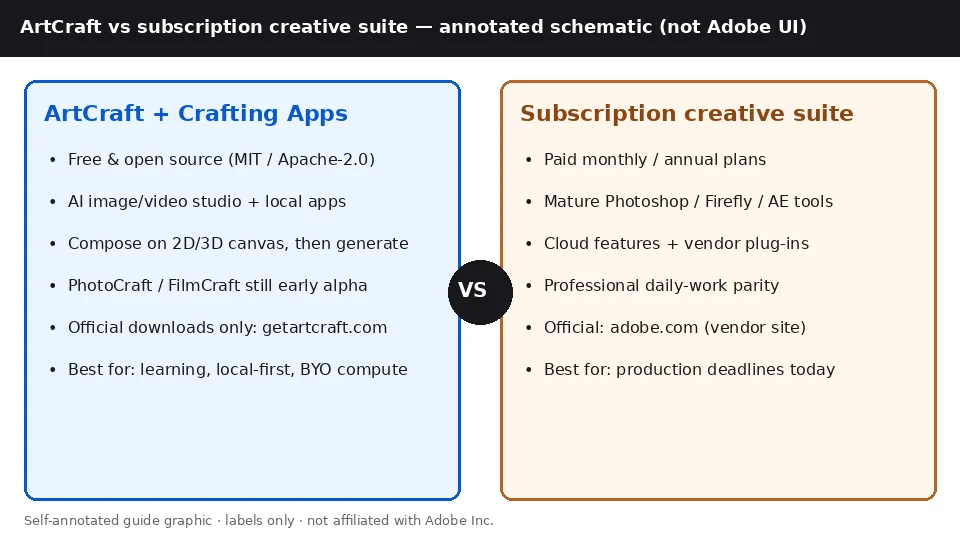
The closest Adobe counterparts are Firefly for AI generation and Photoshop for image editing. Prices are US list prices from adobe.com on 30 October 2026, before tax.
| Dimension | ArtCraft | Adobe Firefly | Adobe Photoshop |
|---|---|---|---|
| Entry price | Free; credit plans from $10/mo (ArtCraft pricing (source)) | Free plan with limited daily generations; paid from $9.99/mo (Adobe Firefly plans) | $22.99/mo, annual plan billed monthly (Adobe Photoshop plans) |
| License model | Open, MIT or Apache-2.0 (ArtCraft license) | Paid subscription tiers (Adobe Firefly plans) | Subscription plans (Adobe Photoshop plans) |
| Platforms | Windows, macOS, web (ArtCraft download page) | Web and mobile (Adobe Firefly plans) | Windows, macOS (Adobe Photoshop requirements), plus web and mobile (Adobe Photoshop plans) |
| Maturity | Pre-1.0 (v0.41.0) (ArtCraft v0.41.0 release) | not compared | Version 27.x (Adobe Photoshop requirements) |
For pricing tiers, file-format support, learning curve and where each side wins, read the full ArtCraft vs Adobe comparison for 2026.
New guides: comparisons, PDF/layout, CapCut Craft clarify
- Install Crafting Apps with craft-launcher — safe suite updates from official GitHub / getartcraft.com
- Drive PhotoCraft from Claude or Cursor — official app MCP vs community subscription APIs
- FigCraft guide · FigCraft vs Figma
- FilmCraft download · vs CapCut · vs Premiere Pro · vs Concat (video editor)
- PhotoCraft vs Photoshop · LightCraft (RAW / library)
- PdfCraft (PDF workbench) · DesignCraft (page layout)
- WordCraft (Word seat) · GridCraft (Excel seat) · CADCraft (CAD seat) · DeckCraft (PowerPoint seat) · SoundCraft (DAW)
- CapCut Craft clarify — no separate CapCut Craft product; redirects confusion to FilmCraft / CapCut official
FilmCraft sits in the same Crafting Apps family as PhotoCraft, FigCraft, LightCraft, PdfCraft, DesignCraft, WordCraft, GridCraft, CADCraft, DeckCraft and SoundCraft. Prefer official getartcraft / GitHub releases, or install via the Launcher. Searching "CapCut Craft"? Start at the CapCut Craft clarification page.
The Crafting Apps: what ArtCraft includes beyond the AI studio
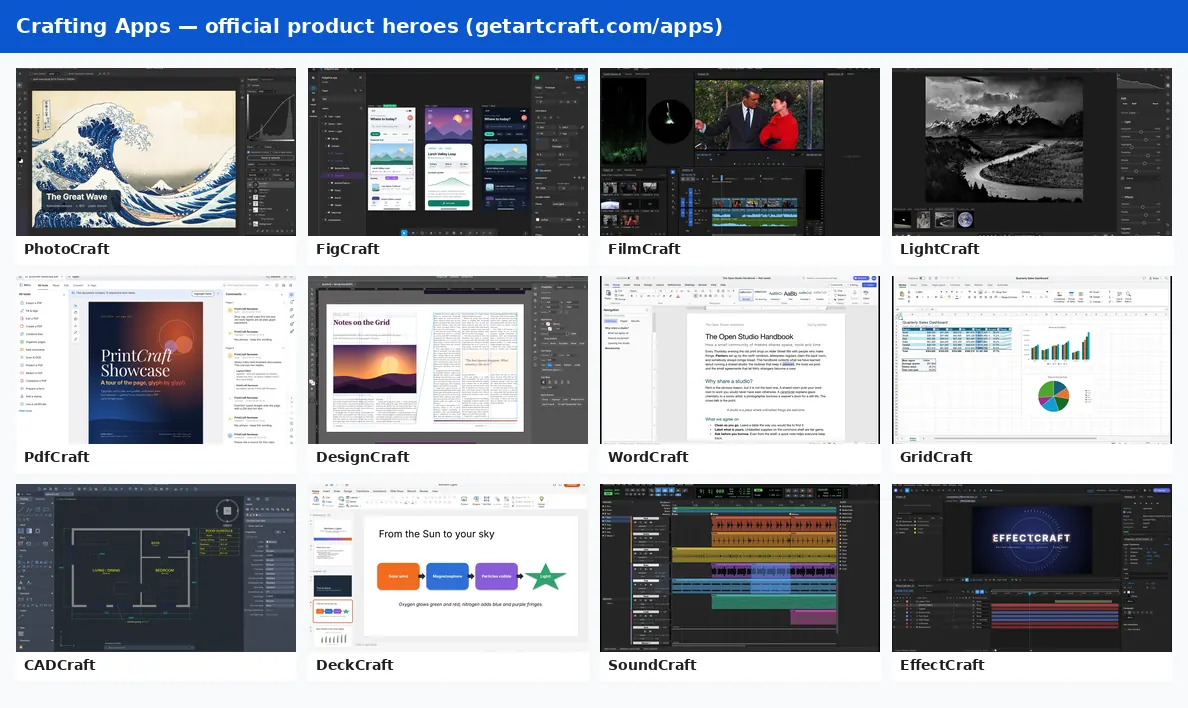
The ArtCraft team also lists 13 separate Crafting Apps on getartcraft.com/apps. The official page describes them as native Rust apps ("No Electron, no web views") that run locally on your own files. All of them except FilmCraft also compile to WebAssembly and run in a browser tab. Each app has its own Apache-2.0 repository under github.com/storytold, and the free ArtCraft Launcher (v0.5.1) installs and updates all of them.
| App | Category | Status | Browser version | What it does |
|---|---|---|---|---|
| PhotoCraft | Image editor | Early alpha | Yes | Layers, masks, adjustment layers, layer styles, type and brushes; opens and saves layered PSD/PSB. |
| VectorCraft | Vector illustration | In development | Yes | Vector drawing and path tools; its README rates it "~65% ready for real work". |
| FilmCraft | Video editor | In development | No | Open-source timeline NLE (not CapCut). Keyframing, captions, ProRes/DNxHR — see /filmcraft/ and vs CapCut. |
| LightCraft | Photo library & raw developer | In development | Yes | Non-destructive photo editing and a local photo library. |
| PdfCraft | PDF workbench | Early alpha | Yes | Read, organize, combine, split and secure PDFs. |
| EffectCraft | Motion graphics & VFX | In development | Yes | Compositions and layers in the After Effects mould; Lottie import and export. |
| DesignCraft | Page layout & publishing | In development | Yes | Page and layout design editor. |
| FigCraft | Interface design & prototyping | Early alpha | Yes | Interface design and prototyping. |
| WordCraft | Word processing | In development | Yes | Word-oriented seat; .docx — official ~60% ready. |
| SoundCraft | Digital audio workstation | In development | Yes | Pro Tools–style DAW; ≠ Harman soundcraft.com; pre-alpha ~40% ready. |
| DeckCraft | Presentations | In development | Yes | PowerPoint seat; .pptx — official ~55% ready; ≠ deckcraft.com. |
| CADCraft | CAD & drafting | In development | Yes | AutoCAD-style drafting; DWG save can drop unmodelled entities. |
| GridCraft | Spreadsheets | In development | Yes | Excel-oriented seat; native .xlsx — macros not full parity. |
Sources: getartcraft.com/apps, PhotoCraft page, VectorCraft, FilmCraft and EffectCraft READMEs.
Some of these apps openly target commercial software. The PhotoCraft README describes it as "an open-source, clean-room reimplementation of Adobe Photoshop", and the EffectCraft README says the same about Adobe After Effects. Others name Microsoft Word, PowerPoint, Excel, Avid Pro Tools and AutoCAD as their models. All 13 are labelled "In development" or "Early alpha".
Deep dives: what ArtCraft is (product page) · PhotoCraft early-alpha image editor guide · FilmCraft timeline editor · PdfCraft PDF workbench · DesignCraft page layout · WordCraft word processor · GridCraft spreadsheet · CADCraft CAD drafting · DeckCraft presentations · SoundCraft DAW · LightCraft RAW library · suite installer (Launcher).
Who ArtCraft is for, and who should wait
A good fit if you
- want an AI image and video tool you can inspect and fork. The code is MIT or Apache-2.0 (license).
- need to block out scenes with 3D posing, compositing and consistent locations before you generate (features).
- want many third-party models in one app, or want to bring your own compute instead of subscribing (pricing).
Better to wait, or stay with Adobe, if you
- need a Photoshop replacement for daily client work. PhotoCraft's own README says it is "not yet a Photoshop replacement for daily professional work", with gaps in generative features, some tools, and plug-in compatibility (PhotoCraft).
- rely on After Effects projects or plug-ins. EffectCraft cannot open .aep/.aepx files, and After Effects plug-ins don't run (EffectCraft).
- want a one-click ArtCraft installer on Linux. There isn't one yet; you have to build from source (README).
How to get ArtCraft
- Go to the official getartcraft.com/download page, or the GitHub releases.
- Pick the Windows installer (.exe or .msi) or the universal macOS .dmg, or use the web app without installing.
- Install, then create a free account or log in, as the official quick start describes.
File sizes, SHA-256 checksums, system requirements and Linux build steps are in our ArtCraft download guide by platform. Avoid unofficial mirrors and "cracked" builds: the app is free, so there is nothing to crack.
ArtCraft FAQ
Is ArtCraft made by Adobe?
No. ArtCraft is an independent open-source project by the ArtCraft team, published at getartcraft.com and on GitHub under storytold/artcraft. Its README credits the copyright to "ArtCraft Team and the ArtCraft contributors". People often search "Adobe ArtCraft", but Adobe has no role in it, and this site is not affiliated with either company.
Is ArtCraft an Adobe alternative?
Yes. ArtCraft is an independent open-source suite positioned as a free Adobe alternative; it is not affiliated with Adobe. For feature-by-feature positioning, see the full comparison at /compare/.
What are Crafting Apps?
Crafting Apps are companion apps in the ArtCraft ecosystem — PhotoCraft, FilmCraft, FigCraft, WordCraft, and more — each with its own installer and GitHub repo. Browse the hub at /apps/.
ArtCraft vs Adobe — which should I pick?
Pick ArtCraft if you want a free, open-source AI image/video studio plus Crafting Apps and can accept early-alpha tools. Stay with Adobe if you need full professional parity, plug-ins, or vendor support today. Read the full comparison at /compare/; for a safe install path use /download/.
Is ArtCraft really free?
The app is free and open source, and the official pricing page says it can be used without a subscription by bringing your own compute and third-party subscriptions. Paid plans buy generation credits: Basic $10, Pro $35 and Max $60 per month at list price, with 1,000, 3,750 and 6,600 credits.
Does ArtCraft work on Windows and Mac?
Yes. The official download page lists Windows 10 (64-bit) or newer and macOS 12.0 or newer, with 8 GB of RAM recommended and 2 GB of free storage. There is also a browser version at app.getartcraft.com.
Is there a Linux version of ArtCraft?
Not as an installer. None of the ArtCraft releases on GitHub includes a Linux file; the README says Linux users can build it from source. The separate Crafting Apps, such as PhotoCraft, do ship Linux packages.
What is the difference between ArtCraft and the Crafting Apps?
ArtCraft is the AI studio for composing and generating images and video. The Crafting Apps are 13 separate open-source desktop apps from the same team, such as PhotoCraft (image editing) and EffectCraft (motion graphics), each with its own GitHub repository and installer.
Can PhotoCraft open Photoshop files?
Yes. According to its README, PhotoCraft opens and saves layered PSD and PSB documents and also reads formats such as Krita .kra and Affinity files. Its developers state it is in early alpha and "not yet a Photoshop replacement for daily professional work".
What license is ArtCraft under?
ArtCraft is dual-licensed under MIT or Apache-2.0, at your option. The Crafting Apps repositories are licensed Apache-2.0.
FilmCraft vs CapCut — which should I use?
CapCut fits fast social templates and mobile-first shorts. FilmCraft is a free, local Premiere-style timeline in the ArtCraft suite (still early). They are different products — FilmCraft is not CapCut. See the FilmCraft vs CapCut guide on this site.
Where do I download ArtCraft Launcher?
Only from official GitHub releases for storytold/craft-launcher or getartcraft.com/apps. Use the Launcher to install and update PhotoCraft, FigCraft, FilmCraft and other Crafting Apps. Avoid “cracked launcher” mirrors — the suite is free.
Sources
Every fact on this page comes from the pages below, checked on 30 October 2026.
- getartcraft.com
- getartcraft.com/download
- getartcraft.com/pricing
- getartcraft.com/apps
- GitHub storytold/artcraft README
- GitHub ArtCraft v0.41.0 release
- GitHub ArtCraft dev setup
- GitHub craft-launcher v0.5.1
- GitHub PhotoCraft README
- GitHub EffectCraft README
- GitHub VectorCraft README
- GitHub FilmCraft README
- Adobe Firefly plans
- Adobe Photoshop plans
- Adobe Photoshop technical requirements